
Tensu|スコアボード
A Simple Scoreboard for Backgammon

Tensuは、バックギャモンの対局中に得点を記録するための、iPhone・iPad対応スコアボードです。
紙のスコアシートのような感覚で得点を記録し、直近の対局を手軽に振り返ることができます。
主な機能
1. スワイプ操作で得点を記録
得点カードを上にスワイプして加点、下にスワイプして訂正できます。

2. マッチプレイとCrawford/Post-Crawford
マッチポイントを設定でき、Crawford/Post-Crawfordも自動で表示します。


3. Unlimited対応とマッチポイントの変更
マッチポイントを持たずに得点を積み上げるUnlimitedにも対応しています。画面中央のマッチポイントを長押しすると、ポイントを変更できます。

4. ゲームごとの得点履歴
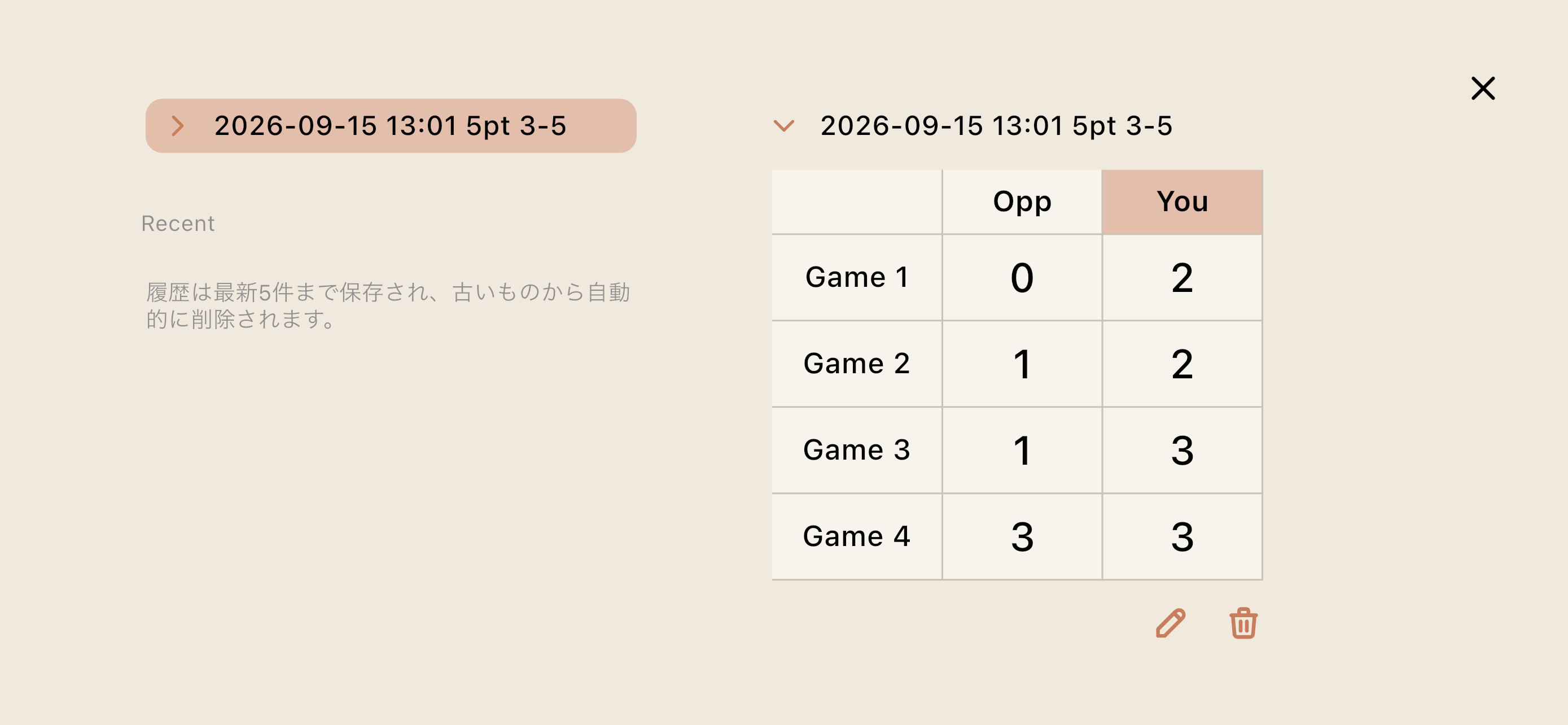
得点を加算した後、15秒間操作がない場合、その得点が1ゲーム分として確定します。履歴のタイトルとスコアを編集でき、直近5件の対局履歴を端末内に保存します。
5. テーマと効果音
- 3種類のカラーテーマ
- 効果音のオン/オフ
基本操作
得点を加算する
得点カードを上にスワイプすると、1点加算されます。続けてスワイプすることで、2点以上を加算できます。
得点を訂正する
得点カードを下にスワイプすると、1点減らすことができます。
自分側を設定する
画面下部のスイッチで自分側を選択します。設定した側は、対局履歴で「You」として記録されます。
名前は設定画面から変更できます。
マッチポイントを変更する
画面中央のマッチポイントを長押しすると、ポイントを変更できます。
対局履歴について
15秒以内に同じ側へ続けて加点した場合は、同じゲームの得点として合算されます。反対側へ加点すると、直前のゲームが確定し、新しいゲームとして記録が始まります。
履歴は直近5件まで端末内に保存されます。古い履歴は、新しい履歴の追加に伴って自動的に削除されます。
データとプライバシー
Tensuは、アカウント登録を必要としません。
対局のスコア、履歴、名前、設定内容は端末内に保存され、開発者のサーバーへ送信されません。広告および利用状況を追跡する機能はありません。
詳しくは「プライバシーポリシー」をご覧ください。
お問い合わせ
不具合のご報告やご要望は、以下のメールアドレスまでお送りください。
piecodesign@gmail.comTensu|A Simple Scoreboard for Backgammon
A Simple Scoreboard for Backgammon
Tensu is a simple scoreboard for recording scores during backgammon matches on iPhone and iPad.
Record scores as easily as you would on a paper score sheet and review your recent matches whenever you need them.
Features
1. Add and correct scores with swipe gestures
Swipe up on a score card to add points, or swipe down to correct a score.
2. Match Play with Crawford and Post-Crawford
Set the match points and let Tensu display Crawford and Post-Crawford automatically.
3. Unlimited mode and adjustable match points
Unlimited mode lets you keep adding points without a match length. Press and hold the match-point number in the center of the screen to choose a different match length.
4. Game-by-game score history
After points are added, the game is confirmed automatically when no further action is taken for 15 seconds. History titles and scores can be edited, and the five most recent match records are stored on your device.
5. Themes and sound effects
- Three color themes
- Optional sound effects
Basic Controls
Add Points
Swipe up on a score card to add one point. Swipe again to add additional points.
Correct a Score
Swipe down on a score card to subtract one point.
Choose Your Side
Use the switch at the bottom of the screen to select your side. Your selected side is shown as “You” in the match history.
You can change your name in Settings.
Change the Match Length
Press and hold the match-point number in the center of the screen to choose a different match length.
Match History
Additional points awarded to the same side within 15 seconds are combined into the same game. Adding points to the opposite side confirms the previous game and starts a new one.
Up to five recent match records are stored on your device. Older records are removed automatically as new records are added.
Data and Privacy
Tensu does not require an account.
Scores, match history, names, and settings are stored locally on your device and are not transmitted to the developer’s servers. The app contains no advertising or user-tracking features.
For more information, please see our Privacy Policy.
Contact
For support, bug reports, or feature requests, please contact:
piecodesign@gmail.com